Frequently asked questions
Quick answers to what racers ask us most.
Getting started
How do I get started?
- Download the RaceLab installer.
- Run it to install RaceLab.
- Open the overlays you want, then start your sim.
The Support page in the app and our Docs explain every overlay and setting.
The installer says “Installation has failed”. What do I do?
The error looks like this:
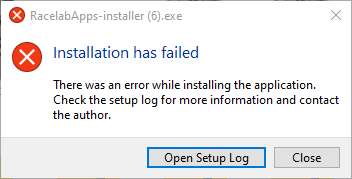
It can happen when your sim is running while you install. Close the game, then run the installer again.
If it still fails:
- Delete the folder
C:\Users\<your name>\AppData\Local\Racelabapps. - Delete everything inside
C:\Users\<your name>\AppData\Local\SquirrelTemp. - Run the RaceLab installer again.
Using the overlays
I opened an overlay but it shows nothing. Is it broken?
No. Overlays stay open until you close them, but they only have something to show while your sim is running.
Can I click through the overlays?
Yes, when they're locked. Locked overlays ignore the mouse, so your clicks go to whatever is behind them. Unlock them when you want to move them.
Use the Lock overlays switch at the bottom of the app, or set a key for it in Settings, Key Bindings.
Can I hide the overlays for a moment?
Yes. In Settings, Key Bindings, set a key for Show/Hide Overlays and Layouts. Press it to hide everything, and again to bring it back.
The free Stream Deck plugin has a key for it too.
Does RaceLab work when my sim runs in full screen?
Run your sim in borderless window mode instead. It looks the same as full screen and should run just as well.
Windows doesn't let any app draw on top of a full-screen game. The workarounds could trip a sim's anti-cheat, so RaceLab doesn't use them.
iRacing
In iRacing, positions jump around or cars disappear from the Track Map. How do I fix it?
Two iRacing settings cause this:
- Connection type: in your iRacing account settings, pick the fastest DSL option, 1 Mbps or more.
- Max Cars: in iRacing's graphics options, set
Max Carsto 63. It isn't how many cars are drawn, so it costs no performance: it's how many cars iRacing sends data for.